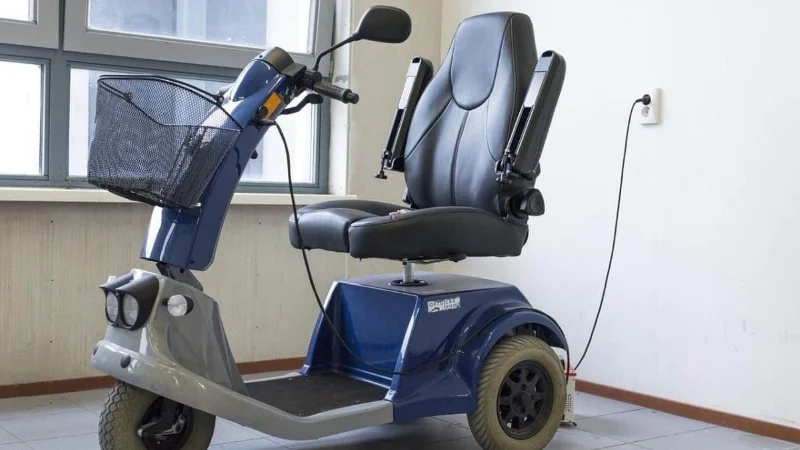
If your mobility scooter is not charging, begin with the safe external checks: confirm the wall outlet works, make sure every plug is fully seated, check that the key is off and compare the charger lights with the scooter and charger manuals. Do not open the charger, probe electrical output or dismantle a wet, swollen or damaged battery pack.
Charging lights and connection sequences vary between models, so a red or green light does not mean the same thing on every charger. Common causes include a dead outlet, loose connector, damaged cable, charger fault, deeply discharged or worn battery, or a scooter setting that prevents charging. Our mobility scooter ownership and buying guide explains how battery and range requirements differ between scooter types.
By Ray Butcher
SeniorFitness is reader-supported. We may earn a commission through products purchased using links on this page. Learn more about our process here.
Mobility Scooter Charging Problems: Quick Checks
| What you notice | Safe checks you can make | What to do next |
|---|---|---|
| No charger lights | Test the outlet with another appliance, then check the mains lead and plugs for visible damage. | Try another known-working outlet. If the outlet works but the charger remains dark, contact the dealer or an approved technician. |
| Power light is on, but charging does not start | Reseat the scooter and charger connections. Check the manual for the correct connection order and required scooter settings. | If the connections are secure, the battery or charger may need professional testing. |
| The charger shows “full” immediately, but the scooter has little range | Check whether the battery was already charged and whether the gauge changes after a short, safe journey. | A worn battery or charger fault is possible. Arrange a battery capacity and charger test. |
| Charging never finishes | Check the manual’s normal indicator pattern and charging time. Inspect for heat, odor, swelling or damaged cables. | Stop immediately if there are warning signs. Otherwise, ask the dealer to test the battery and charger. |
| The scooter will not move after charging | Disconnect the charger completely, insert the key and confirm the freewheel lever is in the drive position if your manual requires it. | Check the model’s fault or beep code. If it remains immobile, request service. |
| The battery gauge drops quickly | Confirm the battery completed a normal charge and consider its age, recent storage and exposure to extreme temperatures. | Have the battery capacity tested before relying on the scooter for a longer trip. |
Stop Before Troubleshooting if You Notice These Signs
Stop charging if the battery or charger is swollen, leaking, smoking, sparking, unusually hot, visibly damaged or producing a burning smell. Disconnect the mains supply only if it is safe to do so, keep people away and contact the scooter dealer, battery supplier or a qualified mobility technician. If there is smoke or fire, leave the area and contact emergency services.
Do not open the charger case, insert objects into cooling slots, touch exposed wiring or use a voltmeter unless you are trained and the manufacturer’s service procedure authorizes it. Manufacturer manuals commonly direct users to return a faulty charger for service rather than repair it at home.
How to Troubleshoot a Scooter That Is Not Charging
1. Read the Charger Lights and Fault Code
Start with the manuals for the scooter and its charger. Some chargers use red for power, orange for charging and green for complete; others use red for charging and green for complete. Treat the manual for your exact equipment as authoritative rather than relying on a universal color chart.
If the scooter beeps or displays a fault code, count the beeps or record the code before switching it off. Look it up in the model-specific manual. This information can also help the dealer diagnose the problem without guessing.
2. Confirm the Outlet Has Power
Unplug the charger and test the outlet with a small appliance you know is working. Check whether a wall switch, power board or tripped household circuit has cut the supply. Plug the charger directly into a suitable wall outlet unless your manufacturer explicitly permits another arrangement; some scooter manuals prohibit extension cords.
3. Check Every External Connection
With the power off, inspect the plug, charger lead and scooter charging port. Look for bent pins, looseness, frayed insulation, corrosion or debris, but do not insert tools or liquids into the port. Reconnect each plug firmly and follow the connection order in the manual.
4. Check the Scooter’s Setup
Many scooters have a charger-inhibit system that prevents driving while the charger is connected. If the scooter will not move after charging, disconnect the charger fully. Check that the key is removed or switched off during charging and that the freewheel lever is in the position specified by the manual—often the drive position.
Some models also have a user-accessible main circuit breaker or fuse. Only reset or inspect it as described in the owner’s manual. Repeated tripping indicates a fault that needs service.
5. Decide Whether the Battery Needs Testing
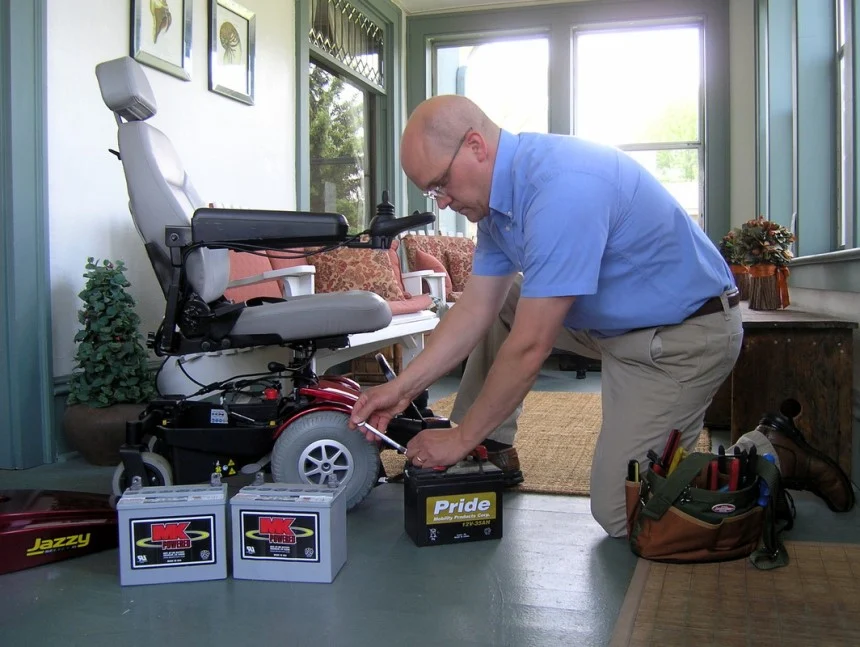
A battery can show a full voltage briefly yet have too little usable capacity under load. Rapid gauge drop, sharply reduced range, repeated incomplete charges or an immediate “full” light after a known discharge can point to a worn battery, poor connection or charger fault. A dealer can test both battery capacity and charger performance.
Battery age alone does not prove failure because service life depends on chemistry, use, storage, temperature, charging habits and depth of discharge. Our guide to mobility scooter battery life explains these factors in more detail.
Battery Problem or Charger Problem?
| Clue | Possible explanation |
|---|---|
| The charger has no light on a working outlet | The charger, its mains lead or an internal protective component may have failed. |
| The charging light does not appear after the connections are reseated | The battery connection, charging port, battery or charger may be faulty. |
| The completion light appears immediately on a depleted scooter | The battery may not be accepting charge, or the charger may be faulty. |
| The scooter charges normally but range has declined over time | Battery capacity may have deteriorated, although tire pressure, load, hills, temperature and driving conditions also affect range. |
| One battery in a paired lead-acid set tests weak | The pair may require replacement with matched batteries, following the manufacturer’s specification. |
These clues narrow the possibilities but do not confirm a diagnosis. Avoid buying a replacement charger or battery until its voltage, chemistry, connector, capacity and compatibility have been checked against the scooter manual or confirmed by the manufacturer or dealer.
How to Charge a Mobility Scooter Properly
- Park the scooter in a dry, well-ventilated area away from flames, sparks and heat sources.
- Remove or switch off the key and set the freewheel lever as directed by the scooter manual.
- Inspect the charger, cable, plugs and charging port for damage before use.
- Use the supplied or manufacturer-approved charger matched to the battery type, voltage and capacity.
- Connect the charger in the sequence specified by the manufacturer. Many off-board systems connect to the scooter before the wall outlet, but your manual should decide.
- Allow the normal charging cycle to finish. Charging time and indicator behavior vary, so do not rely on a generic number of hours.
- Disconnect the charger in the order given in the manual and make sure it is completely removed before driving.
Modern chargers designed for a particular scooter may reduce current as the battery reaches full charge, but storage and long-term connection advice still varies. Follow the instructions supplied with your scooter, battery and charger rather than assuming every unit must be unplugged immediately or can remain connected indefinitely.
Why Battery Type Changes the Advice
Mobility scooters may use sealed lead-acid batteries—including AGM or gel designs—or a manufacturer-approved lithium-ion pack. They do not all use the same charger, storage routine or replacement method. Never select a charger by connector shape alone.
If you are unsure which battery is fitted, check the battery label, charger label and scooter manual. For a broader explanation of battery capacity and real-world range, see how far a mobility scooter can travel.
Temperature can affect charging and performance, particularly with lithium-ion batteries. Store and charge the scooter within the limits in its manual; a generic “cool place” instruction is not a substitute for the manufacturer’s temperature range. The University of Washington’s Clean Energy Institute provides a useful overview of lithium-ion battery technology.
What to Do After Water Exposure
Switch the scooter off and move away from water only if this can be done safely. Do not charge it, open the battery pack, use a hairdryer or reconnect a removed battery simply to “test” it. Water can affect connectors, electronics and the battery even when the outside appears dry.
Contact the manufacturer, dealer or a qualified mobility technician and explain whether the scooter was splashed, left in rain or submerged. A wet, swollen, leaking, hot or damaged lithium-ion battery needs especially cautious handling; avoid touching or moving it unnecessarily and seek urgent professional advice.
Charging Habits That Help Protect Battery Life
- Recharge according to the scooter manual, commonly after use, and avoid leaving the battery deeply discharged.
- Use only a compatible, manufacturer-approved charger.
- Keep charging connectors clean, dry and protected from damage.
- Follow the model-specific storage schedule when the scooter will not be used for an extended period.
- Keep the scooter and charger within the manufacturer’s temperature and ventilation limits.
- For scooters using a matched pair of lead-acid batteries, follow the manufacturer’s advice about replacing both together with the same type and capacity.
If poor range is the underlying concern rather than a charging fault, compare the demands of your normal route with our guides to outdoor mobility scooters and folding mobility scooters. People whose support needs have changed may also find the comparison of a mobility scooter versus a power wheelchair useful, followed by the dedicated guide to power wheelchair options.
Mobility Scooter Charging FAQs
Why does the charger turn green immediately?
The battery may already be full, or the battery may not be accepting charge. Some charger manuals also identify an immediate completion light as a possible charger fault. If the scooter is known to be depleted, reseat the connections and arrange testing rather than assuming it is charged.
Can I use a different mobility scooter charger?
Only use a charger confirmed as compatible by the scooter or battery manufacturer. The voltage, battery chemistry, capacity, connector and charging profile must match; a plug that fits is not enough.
Can I leave a mobility scooter charging overnight?
Follow the instructions for your exact scooter and charger. Some manufacturer-approved chargers are designed to reduce current when charging is complete, but ventilation, inspection and storage requirements still apply. Do not leave damaged equipment charging or ignore heat, odor, swelling or unusual indicator behavior.
Why will my scooter not move after charging?
Many scooters have a safety inhibit that prevents movement while the charger is connected. Disconnect it fully and check the key, freewheel lever and any displayed fault code. If the scooter still will not move, consult the model manual or dealer.
When to Call a Mobility Technician
Arrange service when safe external checks do not restore charging, the breaker trips repeatedly, connectors are damaged, the charger behaves abnormally or the battery loses range rapidly. A technician can test charger output and battery capacity safely and confirm the correct replacement components.
Do not rely on a scooter with uncertain battery condition for an essential or longer journey. Resolve the fault first or arrange another form of transport.